How to Cancel Wrong PSCA E-Challan from Home
If you’ve ever opened your mailbox or checked online only to find a PSCA E-Challan that wasn’t yours, you’re not alone. Wrong challans have become a common headache, maybe the cameras misread your number plate, maybe someone copied your plate, or maybe your bike/car was parked safely at home while the system still flagged you.
It’s frustrating… and honestly, you shouldn’t have to pay for someone else’s mistake.
But here’s the good news: Pakistan Safe City Authority now allows you to cancel incorrect e-challans from home—no long lines, no office visits, and no begging anyone at the Excise counter. Once you understand how the verification and cancellation system works, the entire process becomes surprisingly simple.
This guide will walk you through exactly how to cancel a wrong PSCA e-challan, what evidence you need, how long verification takes, the most common causes of incorrect challans, and how to avoid future mistakes.
Understanding Why Wrong PSCA E-Challans Happen
Before you cancel anything, it helps to know why the error occurred. PSCA cameras use ANPR (Automatic Number Plate Recognition) combined with AI to detect violations. While the system is highly advanced, errors still happen due to:
Misread Vehicle Number Plate
Dust, non-standard fonts, background reflections, or broken characters can cause the camera to misinterpret your plate.
Someone Using a Duplicate/Cloned Number Plate
This is more common than people think, especially with motorcycles.
Camera Angle or Low Visibility
If a vehicle passes during rain, fog, or low light, the system may record the wrong plate.
Server or Data Sync Errors
At times, the system records the correct image but tags the wrong number.
Wrong Address or Outdated Registration Details
You may receive someone else’s challan simply because the previous owner didn’t update their data.
Understanding the cause makes it easier to explain your case when submitting the cancellation request.
How the Wrong Challan Cancellation System Works
PSCA doesn’t simply delete challans. They follow a verification protocol:
- They re-check the camera footage of the incident.
- They match the actual vehicle in the footage with your registration details.
- If the violation wasn’t committed by your car/bike, the challan is marked invalid.
- The system updates your record and removes the fine.
This process protects citizens and ensures transparency; no one pays for someone else’s mistake.
Documents & Evidence You’ll Need Before Starting
To cancel a wrong challan from home, prepare the following:
Clear Picture of Your Vehicle
Front & back showing the number plate clearly.
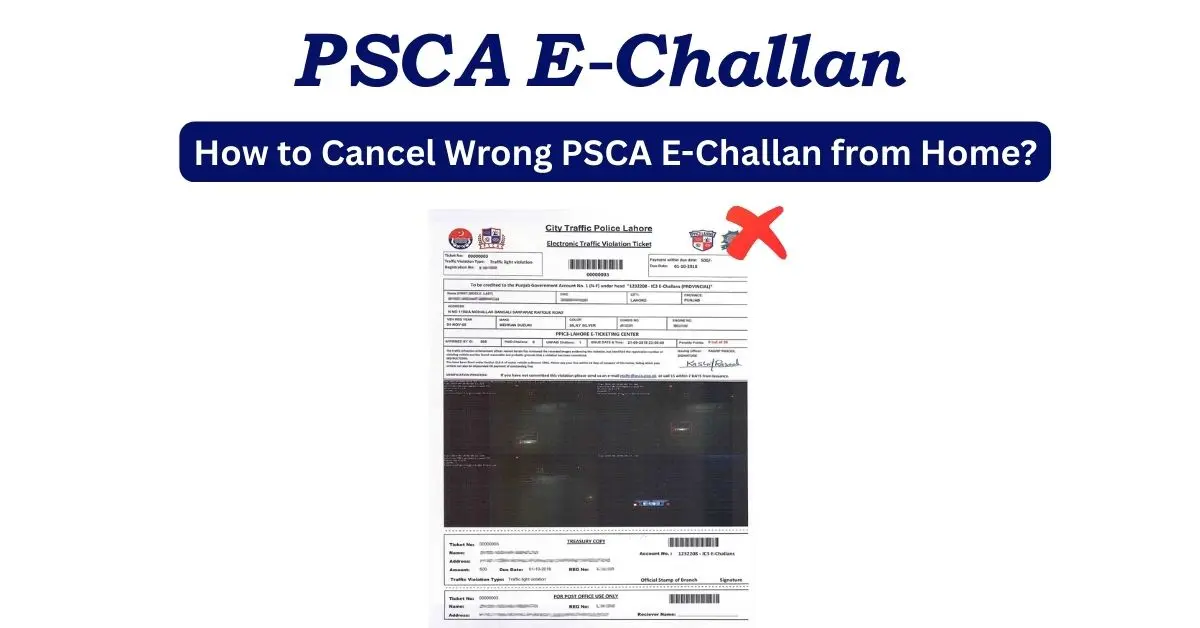
Picture of the E-Challan
Whether you received it online or by mail.
Your CNIC (optional but helpful)
Used for identity verification.
Any Extra Proof (if needed)
For example:
- Your vehicle was parked at home (CCTV image)
- You were out of the city
- You were at work during the time of the violation
- A police report if you suspect plate duplication
More evidence makes approval faster.
How to Cancel Wrong PSCA E-Challan From Home
Here’s the complete process, simple, clear, and beginner-friendly.
Step 1 — Email PSCA Traffic Team
Send a detailed email to:
etclhr@psca.gop.pk
In that email, explain the situation in clear, factual language and attach the evidence you prepared. PSCA’s traffic team typically responds within 24 hours after receiving a complete complaint.
What to Expect
- You’ll receive a confirmation or ticket/reference number.
- The PSCA team will review the camera footage and your attachments.
- If your complaint is valid, they will cancel the incorrect challan and notify you (email/SMS).
- If they need more information, they will request it via the contact details you provided.
How to Use the Online “Review” Option (Alternative / Additional Step)
If you prefer or want to add an online review request in addition to emailing, you can use the official e-challan portal:
- Visit the official PSCA e-challan portal and enter the challan details (vehicle number, challan number, CNIC).
- Look for the “Review” or “Request Review” button next to the Download. Click it.
- The review interface lets you select a reason for review from common options such as:
- Red light / Yellow light dispute
- Fake / duplicated registration number
- Emergency vehicle exemption
- Wrong vehicle color or model in evidence
- Duplicate challan / technical error
- Choose the most relevant reason, attach your proof documents, and enter your email address so PSCA can reply.
- Submit the review request. The portal will allow you to download or print the review submission (keep this for your records).
- PSCA typically reviews valid online review requests and responds within 24 hours if the evidence supports cancellation.
Tip: Submitting both the email (etclhr@psca.gop.pk) and the portal review increases visibility and speeds up processing.
Sample Email Template — Copy & Paste Ready
Subject: Request for Cancellation of Wrong E-Challan — [Challan No. XXXX]
To: etclhr@psca.gop.pk
Cc: [your email, optional]
Dear PSCA E-Challan Team,
I am writing to request the cancellation of an incorrectly issued E-Challan. Below are the details:
- Challan Number: [Insert challan number]
- Vehicle Registration: [Insert vehicle number]
- Date & Time of Violation: [Insert date & time from challan]
- Owner Name / CNIC: [Your name and CNIC]
- Contact Number: [Your phone number]
Reason for complaint (brief):
[Write a short, factual explanation — e.g., “The vehicle in the challan evidence is not my vehicle. My vehicle was parked at home at the time (attached CCTV image). The plate in the footage looks different / different color / different model / appears to be a duplicate plate.”]
Attached evidence:
1. Screenshot/photo of the E-Challan (challan number visible)
2. Clear photos of my vehicle (front & rear showing plate)
3. [Dashcam/CCTV/GPS log / Sale transfer documents / FIR] — as applicable
Please review the attached evidence and cancel this challan if found invalid. I would appreciate a confirmation email or SMS once the case has been reviewed.
Thank you for your assistance.
Regards,
[Your Full Name]
[Your CNIC]
[Your Contact Number]
[Optional: Address]
If You Need Immediate Information — PSCA Helpline
For quick verbal assistance or to confirm processes, dial 15 and choose option 6 to reach PSCA support and get accurate instructions or status updates.
How to Check If Your Wrong Challan Has Been Cancelled
You can verify the status through:
MTMIS Punjab
Search your vehicle number, if the challan is removed, your record will be clean.
PSCA E-Challan Portal
Enter your number and check the challan history.
SMS Confirmation (sometimes)
PSCA occasionally sends a cancellation confirmation message.
Common Reasons Your Cancellation Request Gets Rejected
Not every request gets approved. Rejections usually happen due to:
Low-quality photos
Blurry evidence leads to confusion.
Number plate mismatch
If your number plate doesn’t follow standard format, the system may flag it.
Incomplete information
Missing challan number, date, or vehicle details.
Actual violation
If the footage clearly shows your vehicle committing a violation, cancellation won’t be approved.
Duplicate plate involved
In this situation, PSCA may ask for an FIR before acting.
What to Do If the Challan Appears Again or Isn’t Deleted
If the challan doesn’t disappear even after approval, try:
Rechecking MTMIS After 24 Hours
Sometimes the system takes time to refresh.
Contact PSCA Helpline (15) or Support Email
Share your complaint number for status updates.
Visit the Nearest Safe City Office (Last Option)
If your case is serious (duplicate plate fraud), a physical visit is recommended.
How to Avoid Wrong E-Challans in Future
While you can’t control camera errors, you can reduce your chances of receiving incorrect challans.
Use Standard Number Plates
Illegal fonts and decorative plates often get misread.
Clean Your Plate Regularly
Dust, mud, and scratches reduce visibility.
Update Your Vehicle Ownership Immediately
Outdated details cause heavy confusion.
Avoid Fancy Styling on Plates
Frames, stickers, and colours confuse ANPR cameras.
Install a Dashcam (Optional)
Helps you collect proof instantly.
A little effort up front saves big trouble later.
When You Should File an FIR Instead of Just a Complaint
Sometimes the issue is bigger than a normal mistake, especially when it involves duplicate or cloned number plates.
File an FIR if:
- You repeatedly receive challans for vehicles not belonging to you
- The footage shows a completely different car/bike using your number
- Someone copied your plate intentionally
- You suspect plate theft
Once you have the FIR, scan it and attach it to your PSCA complaint for fast cancellation.
Now You Know How to Cancel Wrong PSCA E-Challans Easily
Wrong challans are frustrating, but now you know exactly how to cancel a wrong PSCA E-Challan from home, what documents you need, how the system verifies your case, and what to do if your request gets rejected.
This information can save you unnecessary fines, repeated headaches, and wasted trips to government offices.
Just remember:
- Keep your number plate clear and standard
- Always check MTMIS regularly
- Report suspicious or repeated challans immediately
With the right steps, you can protect yourself and your record with confidence.